Target Game - Scratch Programming Project
Target Game - Scratch Programming Project
Couldn't load pickup availability
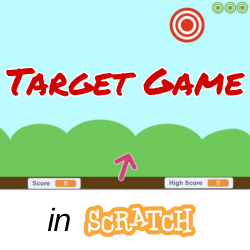
Aim the arrow and shoot the target before it moves to a new spot! In this Scratch programming project, you will write the code for a game where players test their aim and timing skills by shooting arrows at a moving target. The target appears in random spots on the top half of the stage and changes position every few seconds — or sooner if the player hits it! Each successful shot increases the score, and the game keeps track of the player’s high score to encourage improvement.
As the game continues, the challenge increases — the target moves faster, making each round a little tougher. Players start with three lives, and every time they miss a target, they lose one. When all lives are gone, a Game Over screen appears, and the player can press the space bar to restart the game and try again.
As you work through this project, you'll learn the basics of game development. There's a start screen, scoreboard, sound effects, and background music to make game play more exciting. You'll learn how to use variables, loops, conditionals, broadcast messages, and custom blocks to create a fun, polished, and replayable game.
Note: This project is included in our One Year All Access Plan.
Learn more: https://excaliburstem.learnworlds.com/course/target-game-scratch
Overview video: https://youtu.be/hqUH4RrnSig

Want to use ClassWallet funds? Choose More Payment Options in the payment section, then select ClassWallet. We'll follow up to ensure we have all the information we need, then we'll send the invoice you need to submit to place your order!