One Year - All Access to STEM Learning Content
One Year - All Access to STEM Learning Content
Couldn't load pickup availability
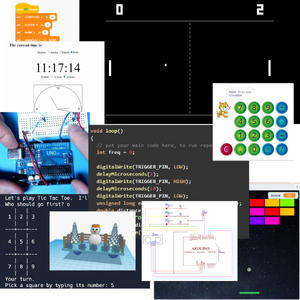
The Excalibur Solutions STEM Academy gives your student access to a large and growing collection of projects and lessons grouped into modules that teach concepts from computer programming, electronics, 3D design, and other areas of Technology and Engineering. Students work at their own pace and based on their own specific interests. We are constantly developing new content, and it automatically becomes available in the library when it is released.
Most projects are presented in more than one format. For example, the same game might be implemented in multiple programming languages, or an electrical circuit could be constructed with different hardware components (including a virtual environment that requires no additional hardware). This allows students to "grow into" more advanced lessons by leveraging what they learned in earlier ones. You have access to technical support in the event the student gets stuck on a particular project. Our content is designed to reduce cognitive overload by limiting the number of new skills or concepts introduced at one time. We constantly review and ask students to apply concepts from previous lessons and activities. We continue to strengthen existing connections while gradually incorporating new information.
One of the hallmarks of STEM education is its interdisciplinary approach to instruction. Solving problems in the real-world requires people to integrate knowledge drawn from different content areas. Many of the lessons and activities in our online content reinforce concepts from core subject areas like algebra, geometry, trigonometry, biology, and physics. We also identify relevant connections to non-technical subject areas such as language arts and the social sciences.
Give your children the skills they need to succeed with the Excalibur Solutions STEM Academy!
Learn more: https://stem.excalibur-solutions.com/content-library-sufs
Overview video: https://youtu.be/-gYsMEF8JkQ

Want to use ClassWallet funds? Choose More Payment Options in the payment section, then select ClassWallet. We'll follow up to ensure we have all the information we need, then we'll send the invoice you need to submit to place your order!